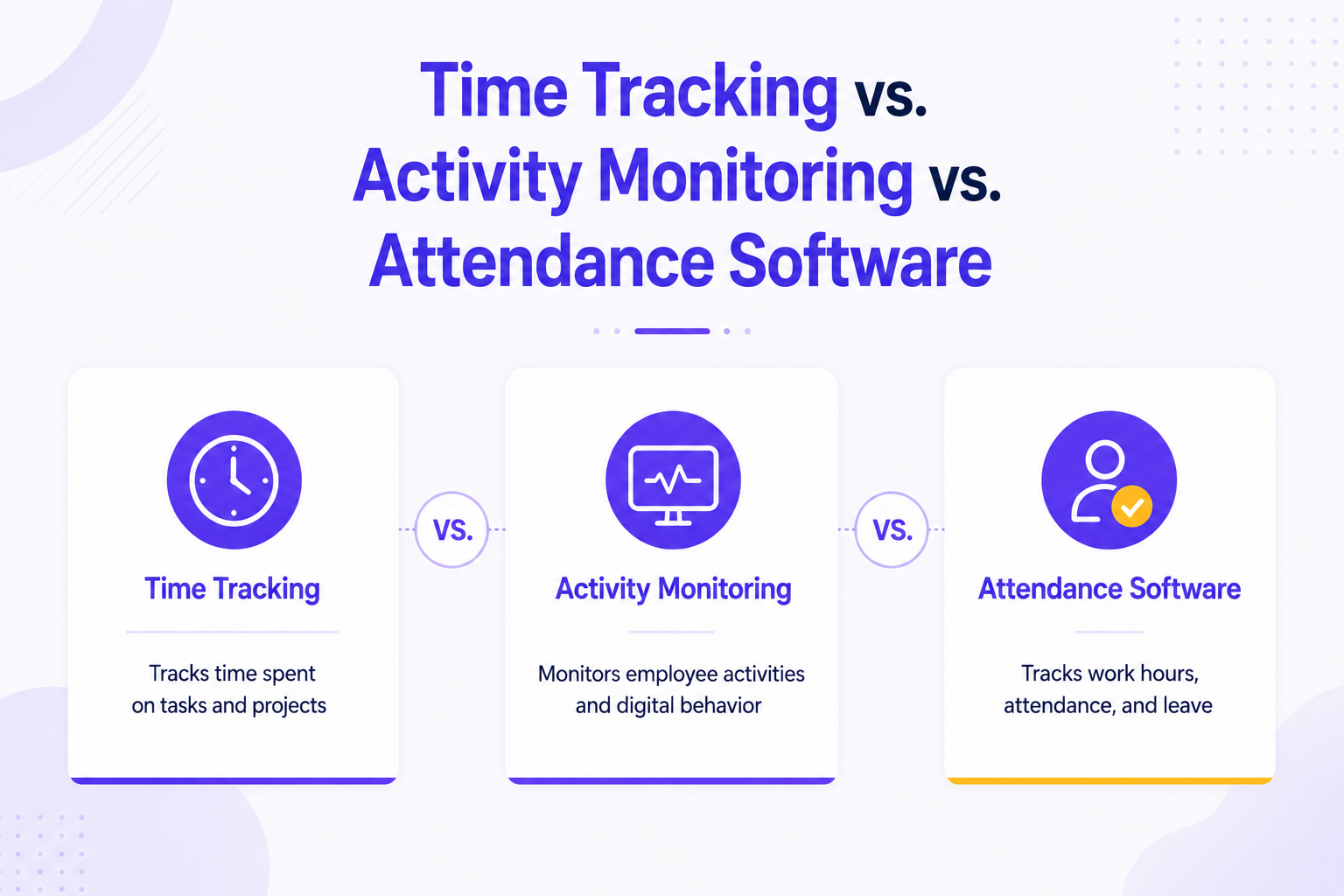

Time tracking records how long employees spend on tasks or projects, activity monitoring records what employees are doing on their devices while working, and attendance software records whether employees are present and on schedule. They solve different problems, and most growing organizations eventually need all three — but understanding the distinction is the first step to choosing the right tool instead of overpaying for overlap or leaving a real gap uncovered.
Quick Comparison Table
Time Tracking
Activity Monitoring
Attendance Software
Primary question answered
How long did this take?
What was being worked on?
Was the person present and on time?
Core use case
Billing, project costing, capacity planning
Productivity insight, security, compliance
Payroll, shift management, SLA coverage
Typical data captured
Hours logged per task/project
App/website usage, screenshots, idle time
Clock-in/out times, GPS, biometric check-ins
Best fit for
Consulting, agencies, client billing
Remote/hybrid teams, security-sensitive roles
Shift-based operations, distributed field teams
Common risk if used alone
Doesn't show how time was actually spent
Doesn't confirm billable accuracy or presence
Doesn't show productivity once "present"
What Is Time Tracking?
Time tracking software records the amount of time employees spend on specific tasks, projects, or clients. Its primary purpose is accurate billing, project costing, and capacity planning — not surveillance.
Time tracking answers: "How many hours did this project actually take, and can I bill for them accurately?"
Common use cases: professional services and consulting firms billing clients hourly, agencies tracking time against project budgets, and any team where profitability depends on knowing true effort per engagement (see our guide on tracking billable hours accurately for the full breakdown).
Limitation: Time tracking alone doesn't tell you what someone was doing during those logged hours — a consultant can log 8 accurate hours against a project while spending a meaningful chunk of that time on unrelated browsing.
What Is Activity Monitoring?
Activity monitoring software records what happens on an employee's device during work hours — application and website usage, idle time, and in some tools, periodic screenshots. Its purpose is productivity visibility, security compliance, and identifying workflow bottlenecks.
Activity monitoring answers: "What was the team actually working on, and where is time being lost to distraction or inefficiency?"
Common use cases: remote and hybrid teams where managers lack direct visibility, security-sensitive industries needing an audit trail of data access, and organizations diagnosing productivity dips that timesheets alone can't explain (see our guide on remote screen monitoring software for a deeper look).
Limitation: Activity monitoring shows behavior on a device but doesn't independently confirm attendance (someone could be logged in but not physically present for a shift) or produce billing-ready time records without additional categorization.
What Is Attendance Software?
Attendance software records whether employees are present, absent, or on schedule — typically via biometric check-in, GPS-based geofencing, or software-based login/logout timestamps. Its purpose is payroll accuracy, shift coverage, and compliance with attendance policy.
Attendance software answers: "Was this person present, on time, and where they were supposed to be?"
Common use cases: BPO and call center shift management, field teams requiring GPS-verified check-ins, and payroll teams needing an accurate, dispute-proof attendance record (see our guide on automated attendance systems for implementation details).
Limitation: Attendance confirms presence but says nothing about what happens after someone clocks in — a fully "present" team can still have significant productivity or utilization gaps.
Why the Three Overlap — But Aren't Interchangeable
A common mistake is assuming one category can substitute for another:
- "We track time, so we don't need attendance software" — time tracking shows effort per task but won't catch a shift-based employee who logs hours from home when they were scheduled in-office, or flag chronic lateness patterns.
- "We monitor activity, so attendance doesn't matter" — activity data assumes the person is already logged in; it can't tell you whether they showed up for their scheduled shift in the first place.
- "We track attendance, so productivity is covered" — presence and productivity are different things entirely; someone can be perfectly on-time and still spend significant work hours unproductively.
Which One Do You Actually Need?
If your primary challenge is...
Start with...
Inaccurate client billing or project cost overruns
Time Tracking
Unclear productivity in remote/hybrid teams
Activity Monitoring
Shift coverage gaps or payroll disputes
Attendance Software
All of the above
An integrated workforce analytics platform
Most organizations that start with just one eventually discover the gap the other two would have covered — a consulting firm tracking time accurately still gets blindsided by unplanned absences; a BPO tracking attendance precisely still can't explain a productivity dip on a fully-staffed floor.
The Case for an Integrated Platform
Rather than deploying three separate tools that don't talk to each other, an integrated workforce analytics platform combines time tracking, activity monitoring, and attendance into a single data layer — so a drop in utilization can actually be traced to its root cause (an attendance gap? an activity/productivity issue? a time-logging error?) instead of requiring three different reports to be manually cross-referenced. This is the approach We360.ai takes, unifying all three data types into one dashboard for HR, operations, and delivery leaders.
FAQs
Can one tool do all three — time tracking, activity monitoring, and attendance? Yes, integrated workforce analytics platforms (including We360.ai) combine all three into a single system, avoiding the data-silo problem of running separate point solutions.
Which is more important: time tracking or activity monitoring? Neither is universally "more important" — it depends on your primary pain point. Client-billing businesses lean on time tracking first; remote-heavy teams often need activity monitoring visibility first. Most mature operations eventually need both.
Does attendance software replace the need for time tracking? No. Attendance confirms presence; time tracking confirms how time was allocated once present. A fully attendance-compliant team can still have significant time-tracking or billing accuracy gaps.
Is activity monitoring the same as surveillance? Activity monitoring is often conflated with invasive surveillance, but reputable tools focus on aggregate productivity signals (app usage, idle time) rather than granular personal surveillance, and operate within legal and policy-disclosed boundaries — see our guide on whether employee monitoring is legal in India for the compliance details.
What's the best starting point for a growing consulting or IT services firm? Time tracking is typically the highest-priority starting point for billing accuracy, with attendance and activity monitoring added as the team scales past the point where manual visibility becomes unreliable.
Rather than juggling three separate tools, We360.ai combines time tracking, activity monitoring, and attendance into one integrated dashboard — so you can trace productivity issues to their actual root cause.