
Every operations leader has the same question in 2026: Are we actually getting more done, or just looking busy? With hybrid work now standard for over 60% of knowledge workers in India and APAC, the gap between hours logged and value created has never been wider.
This guide is for buyers, not browsers. We'll define the category clearly, compare 15 tools side-by-side, work through a real ROI calculation, and give you a 30-day rollout plan that doesn't tank morale. We'll also be honest about where these tools fail, because the wrong rollout can cost you trust, talent, and legal standing. None of that is fun to discover after you've already deployed to 200 people.
Why 2026 specifically
Three things have collided. AI-powered work assistants now generate measurable output that traditional time-tracking can't capture. A developer using GitHub Copilot may type 30% less but ship 40% more. Regulators caught up. India's Digital Personal Data Protection Act came into force through 2025, and the EU's updated AI Act now classifies certain workplace monitoring as high-risk. And employees are more informed than they used to be. Reddit threads routinely identify specific monitoring tools by name within days of deployment. Attempting to run a covert surveillance program in 2026 is, frankly, a bad bet on multiple fronts.
Four terms vendors blur
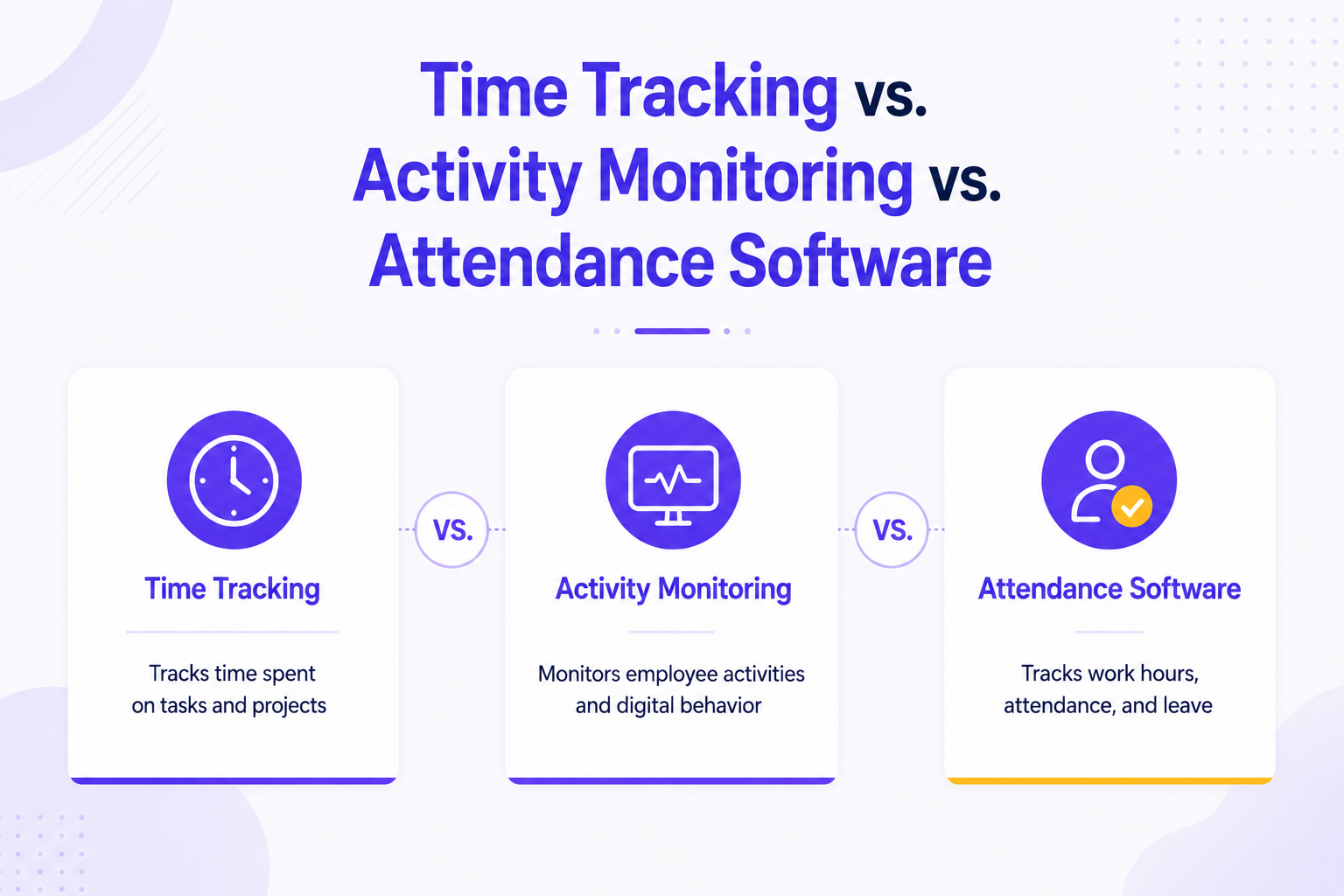
Workforce productivity software is the umbrella. It measures how time, attention, and effort translate into outcomes. Typically includes activity tracking, attendance, project time, and analytics dashboards.
Workforce analytics platform focuses on the insight layer, patterns, benchmarks, and forecasts. Less about minute-by-minute tracking, more about workforce planning.
Employee monitoring software is the narrower subset: app usage, websites, screenshots, keystrokes. It carries the most legal and cultural risk.
Productivity software for teams (Notion, Asana, ClickUp) is where work gets done. Complementary to measurement tools, not a substitute.
A modern platform like We360.ai’s employee monitoring suite combines elements of the first three while integrating with the fourth.
Common Misconceptions & Reddit Pain Points
Spend an hour in r/askmanagers, r/sysadmin, or r/cscareerquestions and the same complaints surface repeatedly. They matter because they predict rollout failures.
Misconception 1: “More data = more productivity.” Reddit's most-upvoted critique is that managers drown in dashboards and never act on them. One thread, "Has anyone worked somewhere that cared more about activity than output?", drew 2,400-plus comments, almost all describing burnout and attrition. The fix is fewer, better metrics tied to outcomes. Not more of them.
Misconception 2: “Employees won’t notice.” They will. Within 48 hours of deployment, IT-savvy staff identify the agent by process name and post screenshots online. A 2025 Reddit thread shows employees coaching each other on detection within hours of a rollout. Hidden monitoring backfires more often than it works.
Misconception 3: “It’s just for remote workers.” In-office teams waste time too, but their waste looks different (meeting overload, context switching, unclear priorities). A tool tuned only to "are they at their desk?" misses the bigger losses happening in conference rooms.
Misconception 4: “Free tools are enough.” Free tiers work fine under five users. They break down at 20-plus because of weak admin controls, no role-based access, and limited compliance features.
Misconception 5: “Activity = productivity.” A junior writer with 8 hours of active Google Docs time may produce less than a senior writer with 3 hours. Any tool that doesn't let you weigh outputs against inputs is measuring the wrong thing.
Pitfalls and how to avoid them
The single biggest pitfall is deploying without telling employees. Beyond the legal risk (covered next), it destroys the trust premium you’ll need when something inevitably goes wrong with the rollout. Always announce, always document, and always offer a Q&A.
The second is choosing a tool because of its dashboard, not its data ethics. A beautiful UI built on covert keystroke logging is still covert keystroke logging. Read the agent’s documentation, not the marketing site.
The third is measuring everyone the same way. A customer-support agent’s productivity is response time and CSAT; a software engineer’s is shipped, working code; a designer’s are iterations approved. One-size-fits-all dashboards produce one-size-fits-all resentment.
[Image: Side-by-side comparison of an “activity-only” dashboard versus an “outcome-weighted” dashboard, with annotations showing what each metric reveals — placement: inline · alt=‘Activity vs outcome dashboard comparison for workforce productivity software’]
The Legal Landscape
This is the section most buyer’s guides skip. Don’t.
Monitoring employees is legal in most jurisdictions, but only if you follow specific procedural rules. Get them wrong and you face regulatory fines, civil suits, and reputational damage that no productivity gain offsets.
India (DPDP Act, 2023): Employers must obtain "specific, informed, and unambiguous" consent before collecting personal data, including activity logs. Data minimization is mandatory. The Data Protection Board can levy penalties up to ₹250 crore per violation.
European Union (GDPR + AI Act): Article 88 of GDPR governs employment-context processing. The 2024 AI Act adds obligations for AI systems used to monitor and evaluate performance. These are classed high-risk and require conformity assessments. Works council notification is mandatory in Germany, France, and the Netherlands.
United States: No federal law covers this cleanly, but the Electronic Communications Privacy Act governs electronic surveillance, and New York, Connecticut, and Delaware require prior written notice to employees. California's CPRA extends consumer rights to employees as of 2023.
APAC (varied):Singapore's PDPA, Australia's Privacy Act amendments, and the Philippines' Data Privacy Act all require notice and purpose limitation. Japan's APPI is among the strictest in the region.
Authoritative reference: see Gartner’s Employee Productivity Monitoring Software Reviews for vendor-by-vendor compliance certifications, and the official DPDP Act text on the MeitY website.
Compliance checklist (use before deploying)
- Document a legitimate business purpose for each data category collected.
- Issue a written employee monitoring policy signed by every covered worker.
- Display a clear on-screen notice when monitoring is active.
- Set data retention limits (we recommend 90 days for activity logs, 30 days for screenshots).
- Restrict dashboard access via role-based permissions — not every manager should see every metric.
- Provide an employee data access request workflow.
- Run a DPIA (Data Protection Impact Assessment) before rolling out screenshots or keystroke features.
If your shortlisted vendor can’t help you complete this checklist, that tells you something.
Industry-specific considerations
Healthcare and BFSI add another layer: HIPAA, RBI cybersecurity directives, SEBI's CSCRF framework. Screenshots and keystroke logs in these sectors need to be encrypted at rest, access-logged, and kept away from systems handling regulated data. BPO and IT services firms in India should confirm SOC 2 Type II and ISO 27001 certifications. Most large enterprise clients require them in due-diligence forms.
Choosing the Right Tool – Beyond Features
Most buyer's guides give you a feature matrix and call it done. That's how you end up with a tool that ticks every box and still fails in practice.
Step-by-step framework
Step 1: Define the problem in one sentence. "We don't know which projects are profitable" is a different problem from "We can't tell if remote staff are working." Different sentences, different tools.
Step 2: List the top three outcomes you want in 90 days. Reduce attendance disputes by 80%. Identify the bottom-quartile time-wasters in client work. Automate weekly utilization reporting. If you can't list three, you're not ready to buy.
Step 3: Map outcomes to feature categories. Attendance disputes → automated check-in/out plus geofencing. Project profitability → time-on-task plus PM tool integration. Utilization reporting → dashboard plus export.
Step 4: Rank vendors by fit, not by feature count. A tool that does the three things you need brilliantly beats a tool that does 30 things adequately.
Step 5: Run a 14-day pilot with one team. Not a 7-day demo with the sales engineer. A real pilot, with real data, real managers, and a defined success metric.
The 15 tools compared
Here’s our 2026 shortlist, grouped by primary strength. Pricing is per user/month, billed annually, in INR where vendors publish Indian pricing.
Workforce analytics + monitoring (full platforms):
- We360.ai — ₹299/user/month. Strong on Indian compliance, attendance, and screenshots with employee-side transparency. Best fit for Indian/APAC SMBs.
- ActivTrak — ~₹850/user/month. Strong analytics, US-centric. Good benchmarks library.
- Teramind — ~₹1,200/user/month. Deep DLP and behaviour analytics. Heavyweight; strong for BFSI/BPO.
- Hubstaff — ~₹650/user/month. Time tracking + payroll + GPS. See our Hubstaff alternative breakdown for India-specific gaps.
- Insightful (formerly Workpuls) — ~₹720/user/month. Clean UI, good for hybrid teams.
- Time Doctor — ~₹600/user/month. Popular with BPOs.
- Veriato — enterprise pricing. Strong investigative use cases.
Time tracking + project profitability:
- Toggl Track — ₹540/user/month. Lightweight, no monitoring features.
- Clockify — Free + paid tiers from ₹350. Great free plan for small teams.
- Harvest — ~₹800/user/month. Strong invoicing integration.
Workforce management (WFM) + scheduling:
- Workforce.com — quote-based. Strong for shift-based industries (retail, hospitality).
- Deputy — ~₹350/user/month. Scheduling-first.
- WorkTrack — India-built, quote-based. Field-force focus.
Productivity coaching layer (no surveillance):
- RescueTime — ~₹500/user/month. Self-coaching, individual-first.
- Microsoft Viva Insights — bundled with M365 E3+. Aggregate analytics, no individual surveillance.
A direct head-to-head we get asked about often is We360.ai vs Hubstaff — the short version is that Hubstaff wins on global payroll and We360.ai wins on Indian compliance, attendance, and price.
Tools and templates
For your evaluation, build a simple scorecard with seven columns: outcome fit, compliance fit, integration fit, total cost of ownership, deployment effort, employee experience, and vendor stability. Score each shortlisted tool 1–5 and weight the columns by your priorities. The winner should beat the runner-up by at least 15%; if not, run a longer pilot before committing.
ROI Calculator & Cost-Benefit Framework
Most workforce productivity software pays for itself within a quarter — if you measure honestly. Here’s the math.
The simple formula
Annual ROI = (Annual savings + Annual revenue gains − Annual software cost) / Annual software cost × 100
Annual savings come from three buckets:
- Reclaimed idle time. If your team averages 1.2 hours/day of avoidable idle time and software helps reclaim 40 minutes of it, that's 167 hours/year per employee. At ₹600/hour fully loaded, that's ₹100,200/employee/year.
- Attendance and payroll accuracy. Manual attendance errors typically cost 1.5–2% of payroll. For a 100-person firm with ₹6 crore annual payroll: ₹9–12 lakh/year.
- Manager time saved on reporting. A team lead spends about 3 hours/week pulling utilisation data manually. 156 hours/year × ₹1,500/hour = ₹2.34 lakh per manager.
Annual revenue gains in service firms typically run 5–8% from improved billable utilization.
Worked example: 100-person Indian SMB
- Software cost: ₹299 × 100 × 12 = ₹3.59 lakh/year
- Reclaimed time (conservative 25 minutes/day): ₹62,500 × 100 = ₹62.5 lakh/year
- Attendance accuracy: ₹9 lakh/year
- Manager reporting time (10 managers): ₹23.4 lakh/year
- Total annual benefit: ~₹94.9 lakh
- ROI: 2,544% · Payback period: ~2 weeks
These numbers look ridiculous until you check the inputs. Even discounted by 75%, you recover the investment in under three months.
What to actually track
The trap is measuring impact only as “minutes saved". Track three categories instead:
Lagging indicators: revenue per employee, gross margin per project, on-time delivery rate. These are what the CFO cares about.
Leading indicators: focus time hours per week, meeting load per role, and productive vs. unproductive app ratio. These predict the lagging indicators 4–8 weeks out.
Trust indicators: eNPS, voluntary attrition, and internal mobility rate. If these drop after rollout, the monitoring is too aggressive. Fix it before the lagging numbers follow.
Baseline all nine metrics two weeks before rollout. Re-measure at 30, 60, and 90 days. Publish the results internally; transparency matters more than you'd expect.
[Image: 90-day ROI dashboard showing lagging, leading, and trust indicators side by side — placement: inline · alt = '90-day workforce productivity software ROI dashboard with three metric categories’]
Implementation Roadmap
A great tool deployed badly will produce worse outcomes than a mediocre tool deployed well. This is our 30-day playbook, refined across 10,000+ We360.ai rollouts.
Days 1–5: Foundation
Get your steering group together: HR lead, IT lead, one operations leader, and a sponsoring exec. Draft the monitoring policy, define the three outcomes from Section 4, and choose the pilot team (10–25 people, mixed roles, willing manager).
Briefly legal. Run the DPIA. Localize the policy for every country you operate in.
Days 6–10: Communication
Hold an all-hands. Show the tool live. Demonstrate exactly what managers can and can't see. Take questions until people run out of them. Publish a written FAQ within 24 hours.
The most predictive variable for rollout success is whether employees feel the announcement was honest. Don't soften it. State the business reason, the data collected, the retention period, and how the data will and won't factor into performance reviews.
Days 11–20: Pilot
Deploy to the pilot team. Daily check-ins with the manager in week one, twice-weekly in week two. Capture three things: technical issues, surprising data, and emotional reactions.
Exit criterion: at least 70% of pilot users say in an anonymous survey the tool is neutral or positive for their work. Below that, you have a configuration or communication problem to fix before scaling.
Days 21–30: Scale
Roll out by team, not all at once. Each new team gets the same all-hands briefing. Managers get 90 minutes of training on reading dashboards and on having data-grounded coaching conversations without weaponising the data.
Set a quarterly governance review: which metrics are we acting on? Which are we ignoring? Should retention windows be shortened?
Tools and templates (deliverables to produce)
What you should have by Day 30: a signed monitoring policy, a published employee FAQ, a DPIA on file, a manager training deck, a baseline metrics report, a pilot retrospective, and a 90-day governance calendar. Missing any of these means you shipped the software but not the program.
Balancing AI Insights with Human Oversight
Every serious workforce productivity platform claims to be "AI-powered" in 2026. That phrase covers a lot of ground, from genuinely useful to genuinely reckless. The EU AI Act now treats automated performance scoring and attrition prediction used in firing decisions as high-risk. That classification isn't bureaucratic overreach; it's a reasonable response to how badly these tools get misused.
Where AI actually helps
Pattern detection. AI is good at noticing that Tuesdays are everyone's worst focus day, or that a specific app correlates with after-hours work. Humans miss these patterns consistently; algorithms don't.
Summarisation. Auto-generated weekly digests cut reporting time without exposing raw activity logs. Privacy win and productivity win at once.
Anomaly detection for security. Spotting that an account suddenly accessed 50× the usual files is a legitimate, narrow use of behavioural analytics.
Where AI fails
Composite productivity scores. They feel objective but aren't; assumptions are buried inside black-box models. A 2025 Stanford study found activity-based productivity scores correlated only 0.31 with manager-rated performance. That's barely better than guessing.
Attrition prediction used punitively. Predicting who might leave and pre-emptively reducing their work is both ethically questionable and self-fulfilling.
Sentiment analysis on private channels. Even where legal, it almost always damages trust irreparably when discovered.
The practical rule: AI surfaces the data; a human makes the decision. Any decision affecting pay, promotion, or termination needs a documented human reviewer who examined the underlying evidence, not just the score. Vendors like Teramind and ActivTrak publish "AI use cards" disclosing model behaviour. Ask yours for theirs.
Want to see how this works for your team? Book a Demo → /demo
Real-World Case Studies
The plural of anecdote isn’t data, but pattern-matching across deployments is genuinely useful. Three sanitized examples from We360.ai customers in 2025.
Case study 1: 220-person IT services firm (Bengaluru)
Problem: Project profitability varied wildly; some clients ran an 18% margin, others ran negative. Leadership couldn’t tell why.
Approach: Deployed time-on-task tracking with project tags, integrated with their existing PM tool. Managers reviewed weekly utilization in 15-minute team standups.
Outcome over 90 days: Identified two client engagements where scope creep had eaten 40% of allocated hours. Renegotiated contracts. Average project margin rose from 11% to 19%. Payback in 38 days.
Lesson: The win wasn’t surveillance. It finally had objective data for difficult client conversations.
Case study 2: 75-person BPO (Pune)
Problem: Attendance disputes consumed three HR hours a day. Manual rosters caused payroll errors.
Approach: Rolled out attendance with biometric integration, geofencing for the work-from-home cohort, and self-service leave management.
Outcome over 60 days: Attendance disputes dropped 91%. The payroll error rate fell from 2.1% to 0.3%. HR reclaimed ~15 hours/week. Payback in 22 days.
Lesson: Operations wins can be bigger than productivity wins. Don’t underweight them. Tools like employee monitoring software in India often pay for themselves on attendance alone.
Case study 3: 130-person fintech (Gurugram)
Problem: Hybrid model, no visibility into deep work hours, growing burnout signals in eNPS.
Approach: Deployed aggregate-only dashboards (no individual screenshots), focus-time tracking, and meeting-load reports per role. Published team-level data internally — but never individual data.
Outcome over 120 days: Average focus hours rose from 11/week to 17/week. Meeting load dropped 23%. eNPS rose from +14 to +31. Voluntary attrition halved.
Lesson: Less monitoring, surfaced thoughtfully, can outperform more monitoring. The output was the metric, not the activity.
Frequently Asked Questions (FAQ)
Conclusion & Next Steps
The workforce productivity software market has matured. The buyers winning in 2026 treat these tools as feedback systems rather than surveillance systems, build rollouts around employee trust rather than against it, and measure outcomes rather than activity.
We360.ai is built for that posture, especially for Indian and APAC operations leaders who need DPDP-compliant analytics, attendance, and lightweight monitoring at a price that pays back in weeks, not quarters. 120K+ users · 10K+ companies · 21+ countries trust We360.ai. Pricing starts at ₹299 per user/month.
If you’ve got the three outcomes from Section 4 written down, you’re ready to pilot. [Start Free Trial – No Credit Card] to deploy in under 30 minutes, or [Book a Demo] for a 30-minute walkthrough tailored to your industry and team size.